




Before you install
Do I need a Jellyfin server?
Yes. Frinkfin has no content of its own. It shows and plays the media of your Jellyfin server. Jellyfin is free and open-source software, to install on a computer, a NAS or a server.
Is Frinkfin free?
Yes. Frinkfin is free on the FreeStore. It has no subscription, no in-app purchase and no ads.
Why not the official Jellyfin app?
To our knowledge, the Jellyfin project does not publish an app for the Freebox Player Devialet: this Player does not run Android TV and its apps come from the FreeStore. Frinkfin fills this gap. It is not affiliated with the Jellyfin project. On a Player that runs Android TV, the Jellyfin app for Android TV is on Google Play.
Is Frinkfin an app from Free?
No. Frinkfin is published by APINETWORK. Free approves the app before it goes on the FreeStore.
Playback and formats
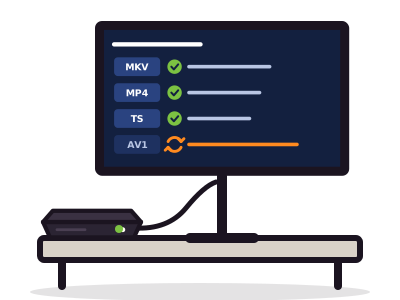
Which formats does the Player read without conversion?
On a Freebox Player Devialet, Frinkfin sends the file as is when it matches this profile:
| Containers | MKV, MP4, TS |
|---|---|
| Video | H.264 (8-bit, level 4.1 at most), HEVC 8-bit and 10-bit, VP9, up to 1080p, SDR |
| Audio | AAC (stereo or 5.1), AC-3 (Dolby Digital), E-AC-3 (Dolby Digital Plus), DTS |
The “Audio output” setting chooses between stereo AAC and 5.1 AC-3.
Why does my server convert some videos?
The Player does not read everything. Your server converts in these cases:
- AV1 or HDR video, or video larger than 1080p;
- TrueHD sound, or more channels than the setting allows;
- image-based subtitles (PGS) or styled subtitles (ASS, SSA), burned into the picture;
- an audio track other than the default one: the server keeps the video and changes only the sound.
Conversion takes server power. If the video stutters, Frinkfin moves to a lower quality by itself.
What about 4K, HDR, Dolby Vision?
The Freebox Player Devialet outputs a 1080p SDR picture. It shows neither 4K nor HDR. Your server converts these files to 1080p SDR. For correct colors, enable “tone mapping” in the Jellyfin transcoding settings.
Do PGS (Blu-ray) subtitles work?
Yes. Image-based subtitles (PGS) and styled subtitles (ASS, SSA) are burned into the picture by your server. Frinkfin draws text subtitles (SRT, WebVTT) itself: for these only, you can set size, color, position and offset.
Audiobooks and e-books?
- Audiobooks: they work with any Jellyfin server that has a books library. Frinkfin plays chapters, changes the speed, jumps 30 seconds, stops with a sleep timer and resumes at the last position.
- E-books (PDF, CBZ, CBR, EPUB): the book page shows a QR code. Scan it to open the book in Jellyfin, on your phone.
At home and away
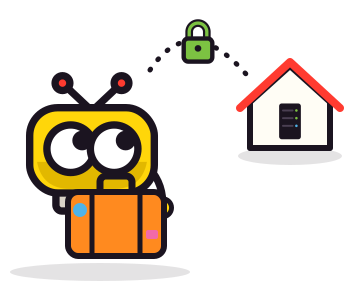
Can I watch away from home?
Yes, if your Jellyfin server is reachable from the Internet. Type its full address, preferably with https. Frinkfin keeps a separate bitrate for the local network and for the Internet. Frinkfin creates no tunnel: remote access to your server is set up on the server.
Can the whole family use it?
Yes. Frinkfin keeps several servers and accounts on the box. Each person picks their profile. Resume points and watched episodes follow each account and are shared with your other Jellyfin devices.
Is there parental control?
- Account limits (maximum rating, tags, access hours) are set on the Jellyfin server. The server applies them; Frinkfin shows the age limit of the account.
- A PIN code can protect each profile on the box.
- The screensaver can show only pictures suited to an age.
Data, updates and bugs
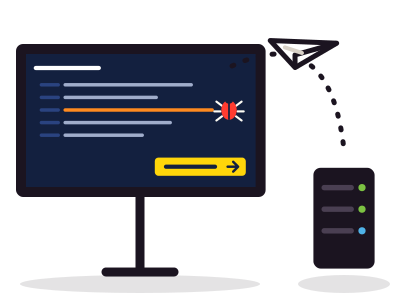
What does Frinkfin do with my data?
Frinkfin talks only to your Jellyfin server. It sends nothing to APINETWORK or to any third party, and has no ads and no analytics. Details: privacy.
How does Frinkfin update?
New versions go through the FreeStore, after Free approves them. What is new is in the release notes.
How do I report a bug?
Note the Frinkfin version (Settings > About) and the version of your server.
If your server accepts client logs, send the log from Settings > About. It goes to your server, not to us.
Write to info@karbon-technologies.com: what you did, what you expected, what happened, and the file format for a playback problem.
No answer here?
Write to us: info@karbon-technologies.com. We read every message. The support page says what to put in your message for a quick answer.

ApiNetwork-Dienstleistungen
Einen Jellyfin-Server installieren oder einstellen? Die Werkstatt erledigt das
Aus der Ferne oder vor Ort, stundenweise oder im Wartungsvertrag. Der Preis wird vor der Bestellung angezeigt.