



prepared in the workshop
Workshop · individual pack
A broadband connection where fibre and ADSL do not reach
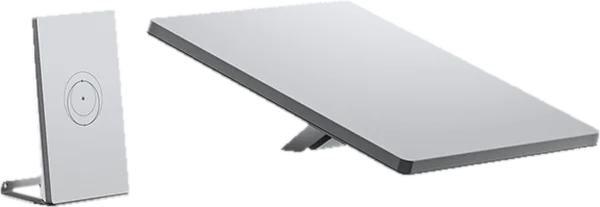
Starlink satellite internet, installed
Kit Starlink Standard ou Mini X posé et activé sur site par un technicien ApiNetwork. Options : support mât ou support de toit, câble de 45 m, routeur GL.iNet sous OpenWrt derrière Starlink, avec ou sans secours 5G. Le déplacement suit le code postal du lieu de pose. L'abonnement Starlink se souscrit chez Starlink.
- part in the starting configuration
- 1

Composition
Green light: compatible.Red: to fix.Amber: to check.
Kit Starlink
Mount (mast or roof) · optional
Long cable · optional
Router behind Starlink (5G backup possible) · optional


Documents and drivers
Manuals, diagrams and drivers for each part of the pack, standard or optional.
Starlink Mini X, installed on sitestandard
To download
User manual
Starlink Mini accessories guide
DownloadTechnical sheet
Starlink Mini X specifications sheet
Download
To read online, on the manufacturer's site
Getting started guide
Starlink support: installation and activation (manufacturer's site, new tab)
Read online
Starlink Standard, installed on siteoptional
To download
User manual
Starlink Standard accessories guide
DownloadTechnical sheet
Starlink Standard specifications sheet
Download
To read online, on the manufacturer's site
Getting started guide
Starlink support: installation and activation (manufacturer's site, new tab)
Read online
Starlink Pivot Mount Mini, installed on the roofoptional
Starlink Pipe Adapter, mounted on a mastoptional
Starlink Standard cable 45 m, installedoptional
User manual
Starlink Standard accessories guide
Download
GL.iNet Spitz AX running OpenWrt, configuredoptional
To download
Technical sheet
DownloadFirmware
GL.iNet X3000 firmware, latest stable version
Download
To read online, on the manufacturer's site
User manual
User guide (docs.gl-inet.com) (manufacturer's site, new tab)
Read online
GL.iNet Flint 2 running OpenWrt, configuredoptional
To download
Technical sheet
DownloadFirmware
GL.iNet MT6000 firmware, latest stable version
Download
To read online, on the manufacturer's site
User manual
User guide (docs.gl-inet.com) (manufacturer's site, new tab)
Read online
Teltonika RUTX50, configuredoptional
To download
To read online, on the manufacturer's site
Getting started guide
RUTX50 quick start guide (manufacturer's site, new tab)
Read onlineUser manual
Manuel RUTX50 (wiki Teltonika) (manufacturer's site, new tab)
Read online
Peplink MAX BR1 Mini 5G, configuredoptional
Getting started guide
DownloadUser manual
Peplink BR1 Mini 5G hardware guide
DownloadTechnical sheet
Peplink MAX BR1 Mini 5G datasheet
Download
Sliding-scale price
Labour for one device according to its rank among the devices with the same job and the same software in the order, all categories combined. The time specific to each device stays fully paid; preparation, tooling and the configuration template are done once. Packing of the following items is counted at the basket, at real time.
| Rank | Time | Price excl. VAT | TVA | Price incl. VAT |
|---|---|---|---|---|
| 1st device | 1,5 h | €127.50 | €25.50 | €153.00 |
| From no. 2 to no. 4 | 1,31 h | €111.56 | €22.31 | €133.87 |
| From no. 5 to no. 9 | 1,27 h | €108.37 | €21.67 | €130.04 |
| From no. 10 | 1,25 h | €106.25 | €21.25 | €127.50 |
Other packs in this department
- See what goes through the network of a site of up to 25 workstations: traffic per device, logs and alerts
- A reliable VPN router for a site or a mobile user
- See what goes through the network of a site of 25 to 100 workstations: traffic per device, logs and alerts
- An OpenWrt router with 10 Gb/s and Wi-Fi 7 for a site of 25 to 100 workstations, assembled and configured like the workshop's own
- Which router or Wi-Fi access point to choose, configured with OpenWrt or UniFi?
- Whole Network and UniFi department